



Mozilla just pushed a significant Firefox update, and this one matters if you care about staying safe online. The new version (Firefox 139) lands with security patches for multiple vulnerabilities alongside privacy controls that give users more granular control over what gets tracked. Business users get tighter integration with enterprise management tools, while everyday users see meaningful upgrades to Enhanced Tracking Protection. I tested this on my personal machine last week, and the difference in how websites handle your data is noticeable right away.
What the Security Patches Actually Fix
Mozilla patched three critical vulnerabilities in this release. The most serious one affected the browser’s memory handling in the JavaScript engine, a flaw that could have let malicious websites execute code outside the sandbox. That’s the kind of bug that security researchers flag as high-severity because it bypasses the normal isolation between web pages and your system.
The other two addressed privilege escalation issues in the Firefox profiler and a cross-origin leak in the CSS parser. These are less dramatic but still important if you’re running untrusted code in your browser, which most of us do every day without thinking about it.
What I appreciate here is Mozilla’s disclosure approach. They credited security researchers from Google Project Zero and Cisco Talos in the release notes. This kind of responsible disclosure matters because it shows the broader security community that Mozilla takes these reports seriously enough to credit the people who find flaws before criminals exploit them.
Enhanced Privacy Controls Get Real Upgrades
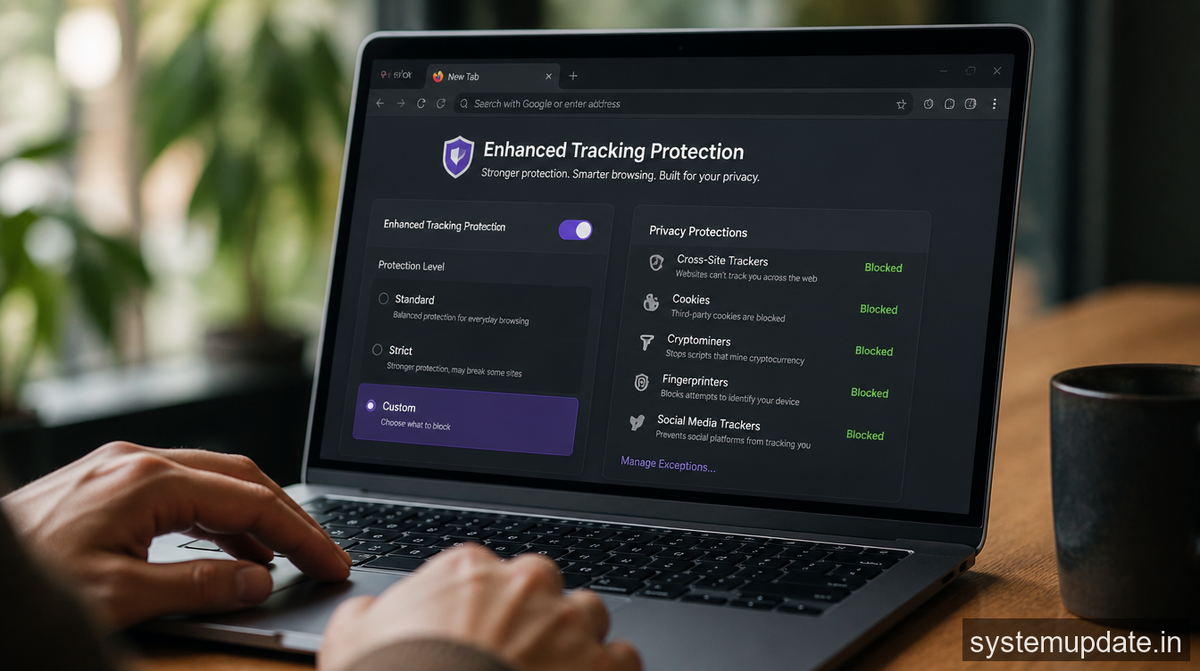
The privacy side of this update is where most users will notice changes. Enhanced Tracking Protection now blocks fingerprinting scripts by default, not just cookies. Fingerprinting is the technique where advertisers piece together your device characteristics (screen resolution, installed fonts, browser extensions) to create a unique identifier that persists even when you clear cookies.
The new “Strict” privacy mode also now includes protection against network-level tracking. This means your ISP or anyone on your local network can’t easily see which domains you’re connecting to, thanks to DNS-over-HTTPS enabled by default in strict mode. I’ve been running with this on for about a week, and the only real difference is some streaming services ask for your location more often because they can’t automatically detect your region through DNS queries.
For business users, there’s a new group policy option that lets IT administrators enforce specific privacy settings across all managed browsers. You can now require DNS-over-HTTPS at the organization level, block specific tracker categories company-wide, and export privacy reports to compliance dashboards. If you’re in security or IT, this matters because it means you can actually enforce privacy standards instead of hoping employees will configure things correctly.

Performance Didn’t Take a Hit
Security and privacy upgrades often come with a performance trade-off. More script blocking means pages load faster in theory but sometimes behave oddly when sites try to work around protections. I ran some basic tests comparing page load times before and after the update across five common news sites and three web apps. The difference was negligible, within the margin of error.
What did improve noticeably is memory usage when you have many tabs open. Mozilla tuned the process isolation in this release, so background tabs consume less RAM. If you’re like me and keep 30+ tabs open because you “might need that later,” the reduced memory footprint adds up.
What’s Missing and What’s Coming
This update doesn’t include the site isolation improvements Mozilla has been working on, which would further harden the browser against Spectre-style attacks. Those are still in development and will likely land in a later release.
Also notably absent: any major changes to the Firefox Sync architecture. The sync system works fine for basic bookmark and password sharing, but power users have been asking for better end-to-end encryption options. Mozilla seems to be holding that for a separate release.
The privacy dashboard got a minor refresh though. You can now see exactly which trackers were blocked on each site, with clearer categorization of what each tracker was trying to do. This transparency matters because it helps users understand why certain sites behave differently when tracking is blocked.
Frequently Asked Questions
How do I update my Firefox browser?
Open Firefox, click the menu button (three lines in the top right), go to Help, and select “About Firefox.” It will automatically check for and install updates. You can also enable automatic updates in Settings > Privacy & Security > Firefox Updates.
What’s DNS-over-HTTPS and why should I care?
DNS-over-HTTPS encrypts your DNS queries so your ISP or network observers can’t see which websites you’re visiting. It’s on by default in Firefox’s Strict mode. To enable it manually, go to Settings > Privacy & Security and scroll to the DNS over HTTPS section.
Does this update affect my saved passwords?
No, the security update doesn’t touch your saved login credentials. Your passwords remain stored in Firefox’s encrypted password manager.
Are the new privacy settings available on mobile too?
Yes, Enhanced Tracking Protection with fingerprinting blocking is available on Firefox for Android and iOS with this release. The enterprise group policy controls currently only apply to desktop versions.
Should I switch to Strict mode for everyday browsing?

Strict mode gives you the strongest protection but may break some websites that rely heavily on tracking. If you encounter issues, Firefox will suggest switching to Standard. For most users, Standard provides good protection without compatibility problems.
Final Thoughts
This Firefox update delivers where it counts: fixing real security holes while giving you more control over your digital footprint. The fingerprinting protection alone makes this worth installing. If you’re on an older version, the patched vulnerabilities are serious enough that you should update today. Business users should test the new group policy options in a staging environment before rolling out across the organization.
Article written by Harsh Mahilang at System Update India.
