


Apple just rolled out the first developer beta of iOS 26.6, and while it’s a pretty quiet release overall, there’s one small change that caught my attention. iOS 26.6 introduces a new alert that pops up when you’ve reached the maximum number of contacts you can block on your iPhone. Most people will never see this alert in their lifetime, but for the small group of users who have been silently hitting Apple’s blocked-contacts ceiling for years, this is actually a meaningful update. Let me walk you through what’s new, how it works, and why it matters.
What’s New in iOS 26.6
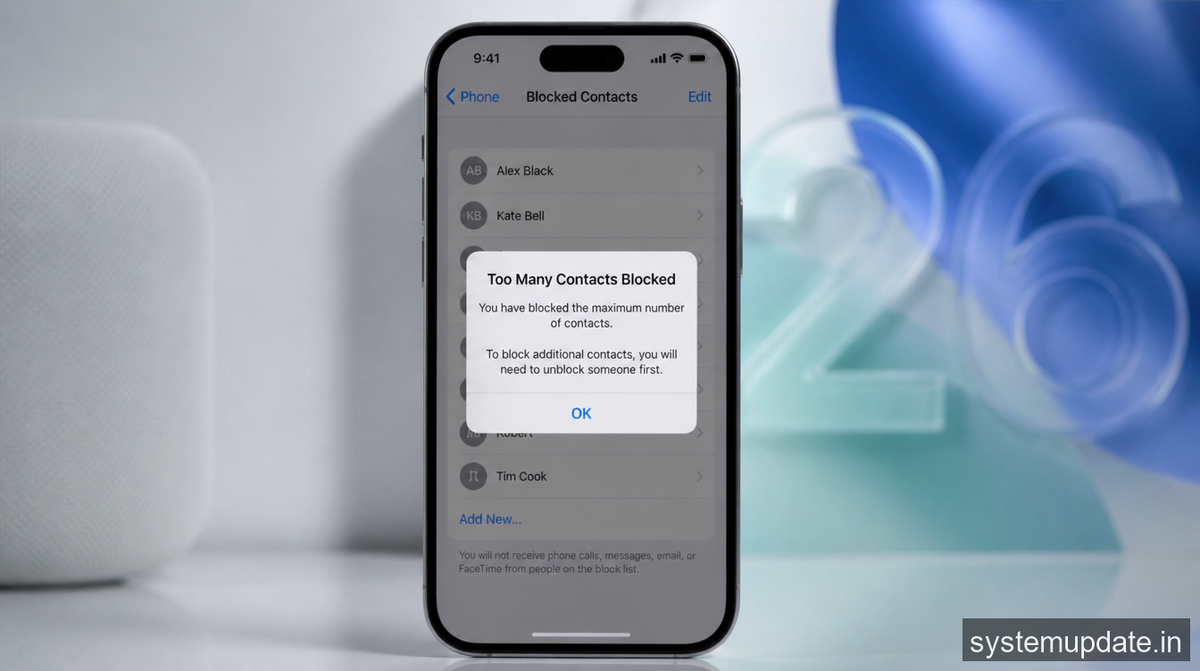
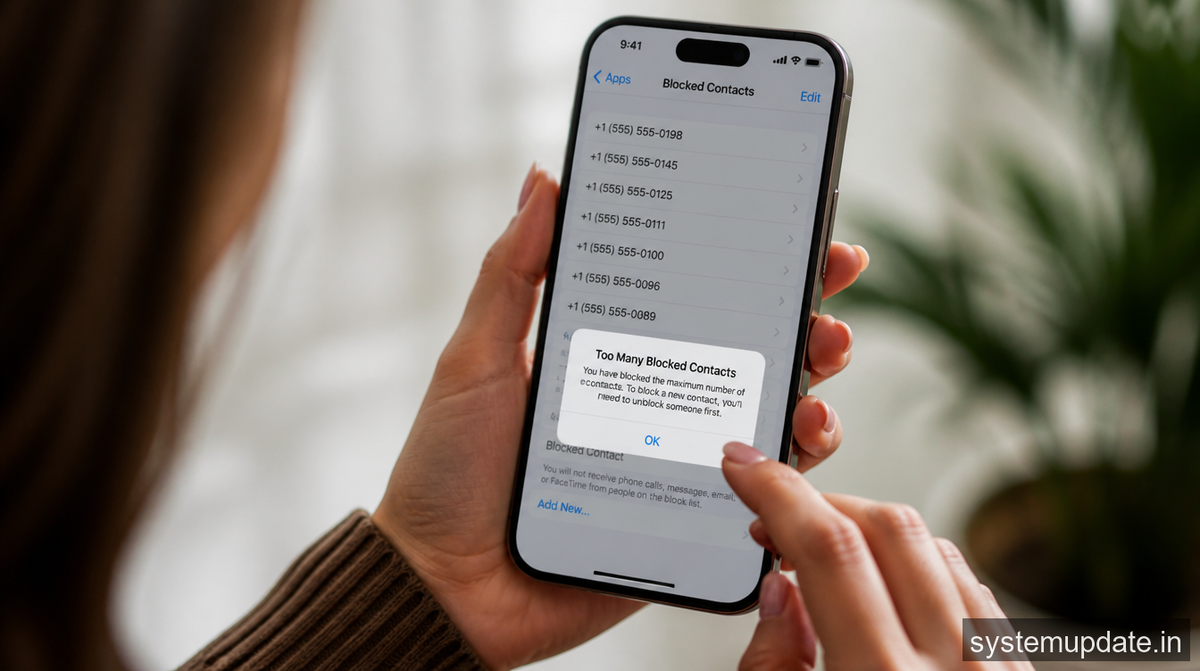
The headline change here is a new system prompt titled “Blocked Contacts Limit Reached.” When you try to add one more contact to your blocked list after hitting the cap, iOS 26.6 will show you a clear message explaining what’s happening: “You’ve reached the maximum number of blocked contacts. To block additional callers, remove a blocked contact in Settings.”
That might sound like a minor tweak, but it’s actually solving a long-standing problem. Apple has always quietly enforced a limit on how many contacts an iPhone can block, but the company has never published official documentation about it. Based on user reports and discussions in Apple’s Support Communities, the ceiling appears to sit around 20,000 blocked contacts for most users, though some people have reported running into issues much earlier sometimes at 8,000 entries, and a few even with smaller block lists. Before iOS 26.6, when you hit that invisible wall, the block would simply fail silently. No error, no explanation, nothing. You’d just keep getting calls from spam numbers you thought you had blocked.
I’ve been using iOS for years, and I had no idea this cap even existed. I remember a friend complaining that spam calls were still ringing through despite him aggressively blocking numbers for months. We blamed the carrier. We blamed the spammers. Turns out he had probably just hit the limit, and iOS never told him. This new alert finally takes that mystery out of the equation.
How the New Alert Works
The new alert in iOS 26.6 is refreshingly straightforward. You go to block a contact the way you always have — through the Phone app, Messages, or the Settings menu — and if you’re already at the maximum, iOS surfaces the “Blocked Contacts Limit Reached” notification instead of silently doing nothing. The alert tells you exactly what’s wrong and exactly what to do next: head to Settings, remove an existing blocked contact, and then you’ll be able to add a new one.
This was discovered by Aaron Perris, who spotted the new wording in the iOS 26.6 beta 1 code before it had been officially announced. As far as anyone can tell, Apple hasn’t changed the actual numerical limit — it’s still the same cap that has been in place for years. What’s changed is that iOS now communicates that limit to the user instead of failing in the background. From a user experience standpoint, that’s a meaningful shift, even if it’s technically a small bit of UI work.
It’s worth being honest about one thing: most of you reading this will never trigger this alert. The average iPhone user probably has a few dozen contacts blocked at most, mostly old exes, persistent telemarketers, and that one number that keeps trying to sell extended car warranties. To hit 20,000 blocked contacts, you’d have to be aggressively blocking every spam call for years on end without ever cleaning your list. That said, the people who do hit this limit tend to hit it hard — usually because they’ve been on iOS for a decade and have never deleted a single blocked entry.
The Impact of the New Alert
The new alert is a small change, but I think it reflects something bigger about how Apple approaches updates in the back half of an iOS cycle. iOS 26.6 is likely to be one of the final feature updates for iOS 26 before Apple shifts its full attention to iOS 27, which will be unveiled at WWDC 2026 on June 8. At this point in a release cycle, Apple typically focuses on bug fixes, security patches, and small refinements rather than splashy new features. This blocked-contacts alert fits that pattern perfectly. It’s the kind of detail you only notice when something is broken, and Apple is quietly making it less broken.
That said, not everyone is convinced this goes far enough. A common criticism floating around tech forums is that Apple could have done more than just add a warning. They could have raised the cap entirely, or introduced a bulk unblock tool so users with massive block lists could clear them out efficiently. Right now, if you’ve hit the 20,000 limit and want to free up some space, you have to remove blocked contacts one by one, or use the Edit option to tap the red minus button next to each entry. That’s not a great experience when you’re staring down thousands of numbers.
There’s also a fair point being made that spam call blocking shouldn’t really be the user’s job in the first place. Carriers and regulators have the ability to filter spam at the network level, and yet for years the responsibility has fallen on individuals to maintain their own personal block lists. An alert telling you that your block list is full doesn’t really solve that bigger problem it just makes the symptom more visible.
To Apple’s credit, iOS 26 already offers better tools than building a giant block list. The “Ask Reason for Calling” feature, introduced in iOS 26, automatically sends calls from people not in your Contacts to voicemail, where the caller can state why they’re calling. You then decide whether to pick up. There’s also the “Silence Unknown Callers” option, which routes every unknown number straight to voicemail with no ringing at all. These are honestly more sustainable solutions than trying to manually block every spam number that ever calls you. If you’re the kind of person who’s been racking up thousands of blocked entries, these features are probably a better long-term fix.
Conclusion and Final Thoughts
The new alert in iOS 26.6 isn’t going to change the world, but I think it’s a genuinely thoughtful addition. It takes a frustrating, invisible problem silent block failures and replaces it with a clear, actionable message. That’s the kind of polish that defines a mature operating system. It doesn’t add a new capability, but it removes a small piece of confusion, and that has real value for the people who were affected.
If you want to try it out, iOS 26.6 beta 1 is available now through the Apple Developer Program, with a public beta expected to follow in the coming weeks. The stable release will probably land before WWDC kicks off in June. Just don’t expect to see this alert unless you’ve been seriously stockpiling blocked numbers for most of us, this is a feature we’ll appreciate in theory but never actually encounter.
Looking ahead, the more exciting stuff is coming with iOS 27. The next major version is expected to deliver a revamped Siri, expanded third-party AI support, and broader stability improvements. iOS 26.6 is essentially the curtain call for iOS 26, and Apple is using it to tie up loose ends like this one before moving on.
Frequently Asked Questions
What is the new alert in iOS 26.6?
It’s a system prompt titled “Blocked Contacts Limit Reached” that appears when you try to block a new contact after already hitting the maximum number of blocked contacts on your iPhone.
How does the new alert work?
When iOS detects that you’ve reached the blocked contacts cap, it displays the message: “You’ve reached the maximum number of blocked contacts. To block additional callers, remove a blocked contact in Settings.”
What is the actual blocking limit?
Apple doesn’t officially document the limit, but most users hit it at around 20,000 blocked contacts. Some have reported running into issues at 8,000 or even fewer.
Why did Apple add the new alert?
Before iOS 26.6, blocks would silently fail once you hit the cap, leaving users confused about why spam calls were still getting through. The new alert makes the limit visible and tells users how to fix it.
Can I disable the new alert? No. But you’ll only ever see it if you’ve hit the maximum, and the vast majority of users never come close.
Is the alert available in stable iOS?
Not yet. It’s currently only in iOS 26.6 developer beta 1, with a public release expected in the coming weeks.
