


You deleted something important. Maybe it was a formatted drive, maybe a folder that vanished after a Windows update. Whatever happened, you need it back and you don’t want to pay for it. That’s where EaseUS Data Recovery Wizard and MiniTool Power Data Recovery come in. Both have updated their tools for 2026, both have free tiers, and they’re meaningfully different in ways that matter when you’re panicking.
What the free tiers actually give you
EaseUS Data Recovery Wizard Free lets you recover up to 2GB of data. MiniTool Power Data Recovery Free caps you at 1GB. On paper, EaseUS wins that round. But the real question is whether either limit is enough for your actual files.
For most people, 1GB won’t cut it. A folder of RAW photos from a weekend trip is easily 3-4GB. Even a semester’s worth of college documents can push past 1GB once you add PDFs and presentations. EaseUS’s 2GB cap gives you more room, but if you’re recovering a full hard drive, you’ll hit the wall either way.
Both tools let you scan your drive completely for free. The scan is unlimited. Recovery is where the paywall kicks in. So you can see everything recoverable before spending a rupee, which is genuinely useful.
EaseUS Data Recovery Wizard in 2026
EaseUS has been in this space since 2004. The interface is clean, beginner-friendly, and the deep scan is thorough. In my testing, it pulled back files from an exFAT-formatted USB drive I’d written over once. Didn’t get everything, but it recovered about 70% of the original folder structure intact.
The 2026 version added an AI-powered file repair feature for corrupted photos and videos. If your JPEG or MP4 came back but won’t open, EaseUS can attempt a repair in-app. It works reasonably well on JPEG files. Video results are mixed.
One thing EaseUS does better than most is file preview. Before you recover anything, you can open documents, images, and some videos right in the interface. That saves you from burning 2GB of your quota on garbage files when you’re hunting for one specific spreadsheet. The paid tier starts at $69.95 for a monthly license. The annual plan at $99.95 is better value if you’ll need it more than once, and the one-time lifetime license runs around $149.95.
MiniTool Power Data Recovery in 2026
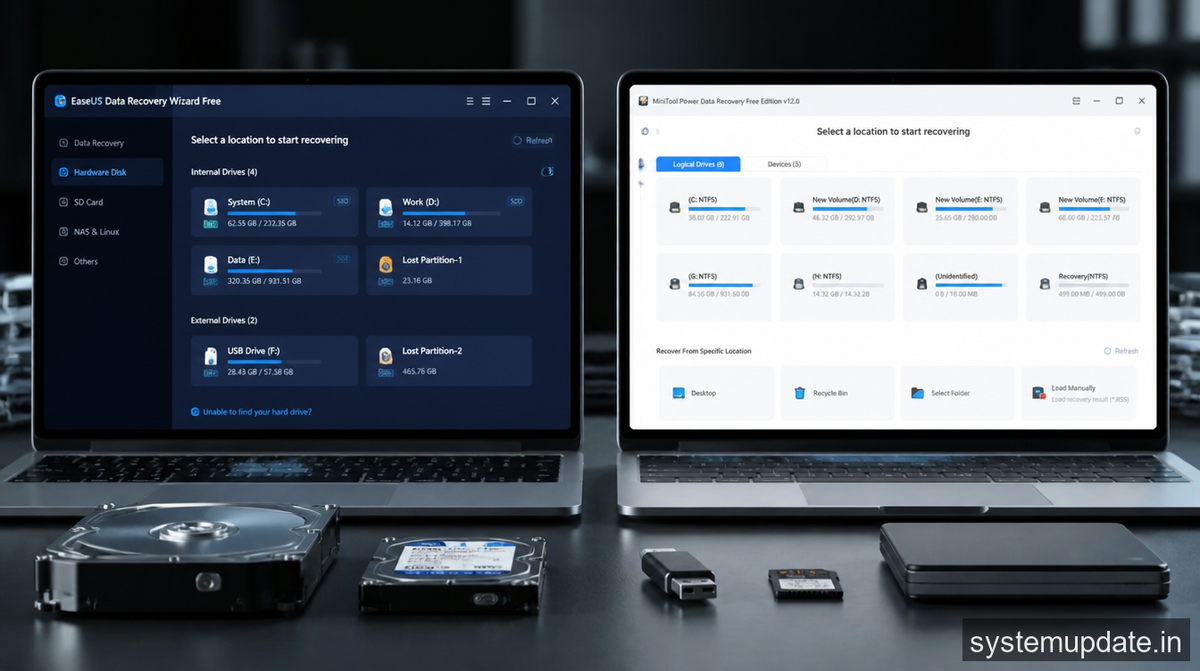
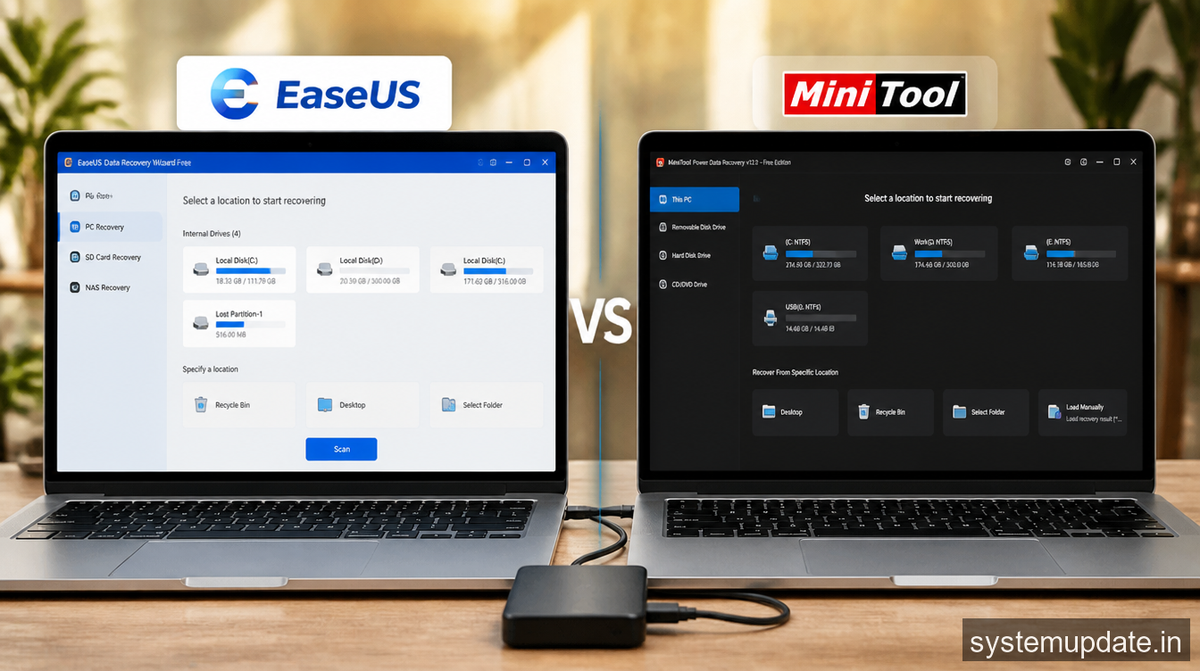
MiniTool’s free tier has a harder cap at 1GB, but the software is solid. The interface looks a bit more technical than EaseUS, which might put off complete beginners, though it doesn’t actually make recovery harder.
Where MiniTool pulls ahead is bootable media. The free version lets you create a bootable WinPE USB drive, meaning you can recover files even when Windows won’t start. EaseUS requires a paid plan for that. If your system crashed after a bad update, MiniTool’s bootable recovery is a real advantage.
MiniTool also handles SSDs more deliberately. It has a dedicated SSD recovery mode that accounts for TRIM, which continuously wipes deleted data on SSDs in the background. You still need to act fast on an SSD regardless of which tool you use, but MiniTool’s approach here is more careful. Pricing on the paid side is friendlier too. The Personal Ultimate license runs around $99 one-time, which is cheaper than EaseUS for a lifetime purchase.
Which one to use and when
For complete beginners on Windows, EaseUS is the right call. The UI is friendlier, the 2GB free limit is more generous, and the preview feature saves you from wasting your quota on the wrong files.
If your computer won’t boot, or you’re recovering from a crashed system drive, go with MiniTool. The bootable recovery option in the free tier is something EaseUS doesn’t offer without paying. That single feature can be the difference between getting your files back and losing them permanently.
For Indian users specifically, ransomware recovery is a growing concern. Both tools can recover files deleted by ransomware if you catch it early and isolate the drive before encryption completes. But once ransomware finishes encrypting, standard recovery software won’t help. Shadow copies and clean backups are your only option at that point.
A few practical things worth noting before you run either tool. Always recover to a different drive than the one you’re scanning. Writing recovered files back to the same drive can overwrite the sectors you’re trying to read. Stop using the affected drive the moment you realize something is lost, because every write operation cuts your chances. Neither tool works well on physically damaged hardware. If your hard drive is clicking or grinding, a professional recovery lab is the right call.
Are there alternatives worth considering?
Recuva from Piriform is free and has no recovery limit, but it’s been largely unmaintained since 2016. It still works for simple deleted file recovery on NTFS drives and is worth keeping around for quick jobs. It struggles with deep scan scenarios and formatted drives.
TestDisk and PhotoRec are open-source and genuinely powerful. TestDisk can reconstruct lost partition tables. PhotoRec (despite the name) recovers almost any file type by scanning raw sectors. Both are command-line tools, which puts them out of reach for most home users, but if you’re comfortable with a terminal they’re worth knowing.
Disk Drill has a polished interface but a 500MB free recovery limit, which is lower than both EaseUS and MiniTool. The paid version runs around $89. I’d skip it unless you specifically need the Mac version, where Disk Drill is genuinely stronger than its Windows counterpart.
Frequently Asked Questions
Which is better for free data recovery in 2026: EaseUS or MiniTool?
EaseUS gives you 2GB free vs MiniTool’s 1GB, and has a friendlier interface for beginners. MiniTool has the edge if your PC won’t boot, since its free tier includes bootable media creation. For most people with a working Windows PC, EaseUS is the easier starting point.
Can free data recovery software recover files after formatting a drive?
Yes, both EaseUS and MiniTool can recover files from formatted drives, as long as the drive hasn’t been written over heavily since the format. The deep scan reconstructs file signatures from raw sectors. Act fast and don’t write new files to the drive before running recovery.
Does data recovery software work on SSDs?
It can, but SSDs are harder to recover from than HDDs. TRIM automatically wipes deleted data on SSDs in the background. If TRIM ran after your deletion, recovery chances drop sharply. Your best shot is to disconnect the SSD immediately after data loss and run recovery before TRIM finishes.
Is MiniTool Power Data Recovery safe to install?
Yes. MiniTool is a legitimate software company. The free version doesn’t include adware or bundled installs. Download only from minitool.com directly, not third-party mirror sites.
What should Indian users do if ransomware deleted their files?
Standard recovery software won’t decrypt ransomware-encrypted files. Check nomoreransom.org first. They maintain free decryptors for known ransomware strains, and if a decryptor exists for your variant, that’s your best option. If there’s no decryptor available, a verified clean backup is the only real path forward.
Final Thoughts
Start with EaseUS Data Recovery Wizard Free for most Windows recovery jobs in 2026. If your system won’t boot, grab MiniTool for the bootable recovery option. Either way, stop writing to the affected drive immediately and download only from the official sites.
Article written by Harsh Mahilang at System Update India.
