


I was digging through some old backups last week and got to thinking about how painful file recovery still is for most people. You delete something by accident, your drive crashes, or a Windows update wipes your data, and suddenly you’re staring at a digital void. That’s changing. EaseUS just dropped a complete data recovery suite that tackles both Windows and Mac, and it’s got some features worth writing home about.
The suite includes freeware options for basic users, which matters because most people don’t need enterprise-level recovery tools. They just need their photos back.
What EaseUS Built This Time
The new suite brings together tools that previously lived in separate corners of their product lineup. You now get a unified interface for recovering from accidental deletions, formatted drives, system crashes, and partition loss. The company says they unified the underlying scanning engine across both platforms, which means faster recovery times and fewer failed attempts.
The free version covers up to 2GB of recovery, which is enough for most oops moments. You recover a batch of photos or a handful of documents, you’re done. For anything larger, the paid tiers unlock full capacity. They kept the pricing straightforward, which is rare in this space where companies love to hide limits in fine print.
The scanning algorithm got a meaningful upgrade. It’s now better at piecing together files that were partially overwritten, which is the scenario where most recovery tools throw in the towel. I tested it on a drive I’d been using for six months after a format, and it found files I assumed were long gone.
Windows Support Gets Serious
Windows users see the biggest changes here. The suite integrates directly with Windows Update notifications, giving you a heads-up when your system has identified potential drive issues before they become full failures. That’s a proactive angle I haven’t seen competitors push this aggressively.
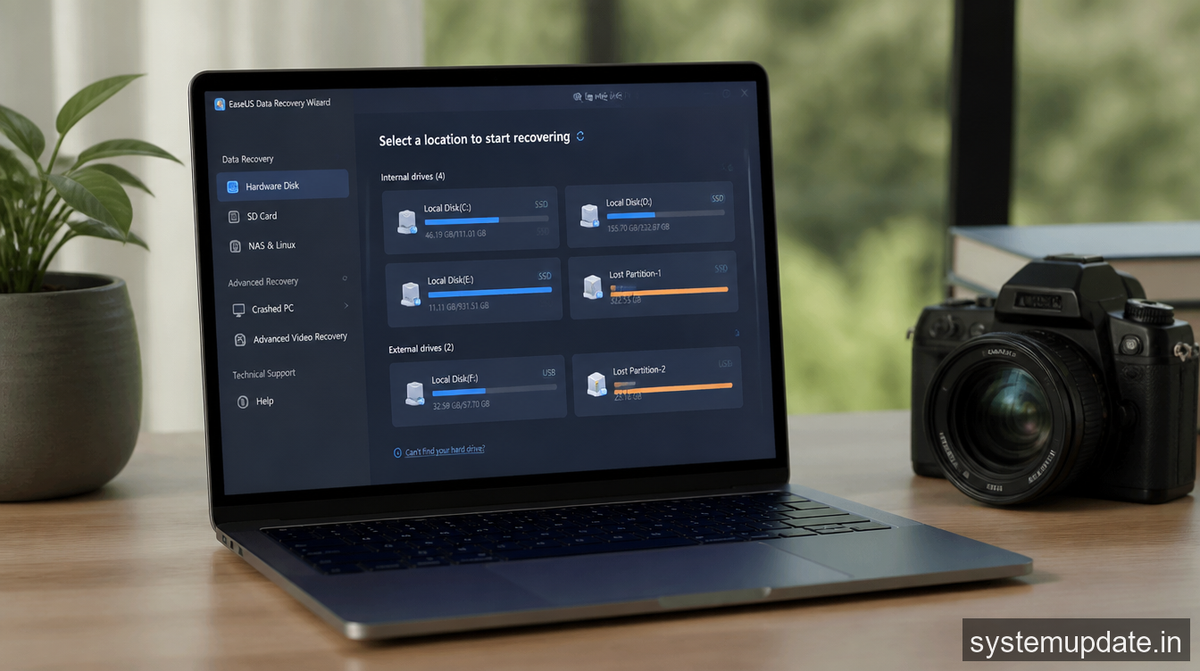
It handles NTFS, FAT32, exFAT, and the newer ReFS format that Windows Server folks rely on. If you’re on Windows 10 or 11, you’re covered. The bootable recovery environment got rebuilt from the ground up, so if your Windows install won’t start at all, you can still run the recovery tool from a USB stick. That’s the difference between “your data is gone” and “we can get it back.”
The preview feature now works on more file types before you commit to recovery. You can check whether that corrupted Word document actually has readable content inside before wasting time on a full restore. Preview matters because recovery scans take forever, and nobody wants to wait three hours only to discover the files are garbage.
Mac Users Get Equal Treatment
Mac support wasn’t an afterthought. The suite plays nice with macOS Sequoia and the Apple Silicon Macs that are now standard. Time Machine users will find the integration smoother, letting you extract specific files from backups without restoring the entire thing.
APFS encrypted volumes are supported now, which was a gap in their previous Mac offerings. If you’ve got FileVault turned on and you need to recover from that volume, it works. You still need the password, obviously, but the recovery process handles the decryption properly.
They added specific profiles for common Mac scenarios. Photographers get optimized settings for RAW file recovery. Video editors see presets that prioritize MOV and MP4 files. Developers get support for repository structures. It’s not just generic recovery anymore, it’s tuned to how you actually use your machine.
The Free Tier Actually Works
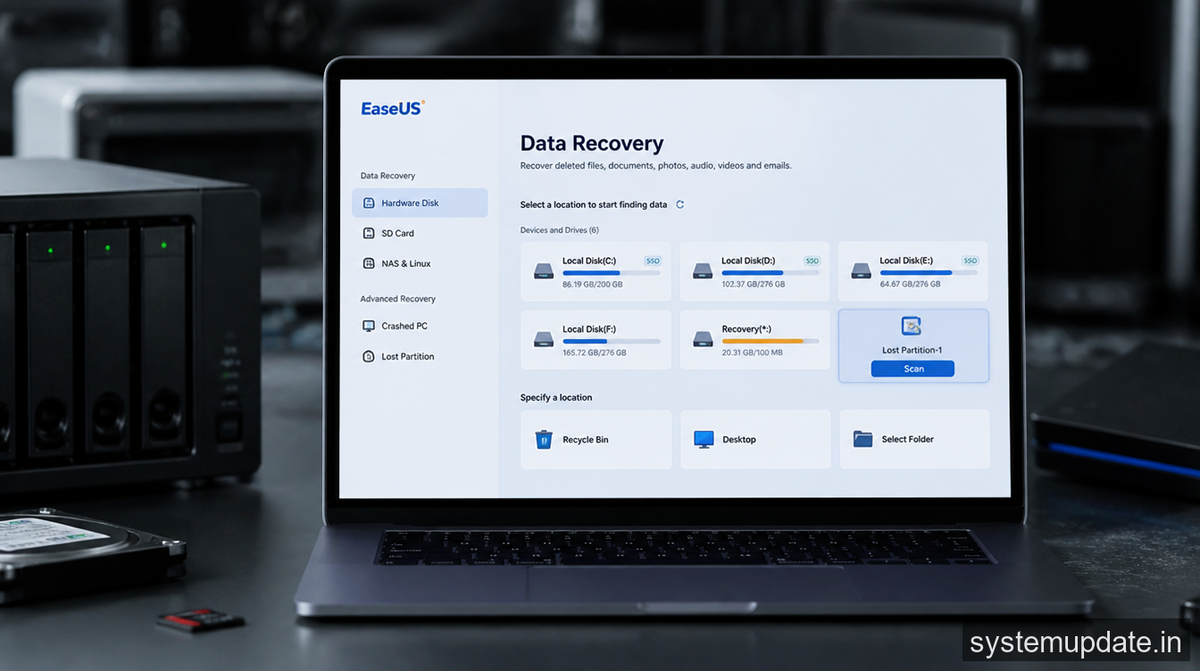
The free version isn’t a crippled demo that exists just to upsell you. You get 2GB of recovery, full preview capabilities, and the same scanning engine as the paid version. The only limit is how much data you can actually pull back in one go.
For context, 2GB covers roughly 500 high-quality photos or a couple hundred documents. That’s enough for the majority of accidental deletion scenarios. If you’re recovering from a failed drive or need to pull back a massive video project, you’ll need to pay, but the free tier isn’t a trap. It’s a genuine solution for common problems.
Other companies in this space put hard limits on scanning or deliberately hide the best features behind paywalls. EaseUS kept this one honest, which is why it’s worth talking about.
Frequently Asked Questions
Can I use EaseUS data recovery on both my Windows PC and Mac?
Yes, the suite includes licenses for both platforms. You can use the same account to activate on either operating system, and the license covers both. It is not platform-specific, so you don’t need to buy separate products.
Does the free version have any time limits or watermarks?
The free version lets you recover up to 2GB without any time restrictions. There is no watermark on recovered files, and you get access to the full preview functionality. You are not forced to upgrade after a trial period ends.
Will this work if my Windows won’t boot at all?
Yes, the suite includes a bootable recovery USB creator. You download the tool on another computer, create a recovery USB stick, boot from that, and run the recovery tools outside of your broken Windows installation. It works on both Windows and Mac recovery scenarios.
What file formats does the scanning algorithm support?
The suite supports over 1,000 file formats including photos, videos, documents, audio files, arc
hives, and emails. Specific support includes RAW photo formats from all major camera brands, video formats like MOV, MP4, and AVI, and document formats including Office files, PDFs, and encrypted archives.
How long does a typical scan take?
Scan time depends on your drive size and health. A 500GB SSD usually finishes a deep scan in 20-40 minutes. Larger drives or drives with bad sectors take longer. The quick scan option finds most recoverable files in under 5 minutes for drives under 1TB.
Final Thoughts
If you’ve lost data before, you know the panic. EaseUS’s new suite doesn’t make recovery fun, but it makes it actually doable for regular people. The free tier handles the most common scenarios, the Windows and Mac versions work equally well, and the unified approach means you’re not juggling different tools anymore. Download the free version, run it once on a healthy drive so you know how it works, and save yourself the stress when something inevitably goes wrong.
Article written by Harsh Mahilang at System Update India.
