


What’s New in Partition Wizard 13.0
The most talked-about addition is the corrupted image repair functionality. If you’ve ever dealt with a damaged ISO or disk image file, you know how frustrating it can be. The new tool scans image files for common corruption issues and attempts to repair them without requiring you to re-download the entire file. It’s not magic, but it works well for minor corruption caused by incomplete downloads or storage errors.
The disk partitioning engine has also gotten a meaningful upgrade. The resize operations are noticeably faster, especially when working with drives over 2TB. MiniTool claims up to 40% faster partition resizing on large disks, and in my tests, that felt accurate. The alignment algorithms have been refined too, which matters if you’re setting up SSDs or working with advanced storage configurations.
Windows 11 Compatibility Improvements
Windows 11 has been out for a few years now, but some third-party disk tools still struggle with its specific requirements. Partition Wizard 13.0 fully supports the latest Windows 11 24H2 update, including proper handling of GPT partitions and the new storage spaces features Microsoft introduced.
The software now integrates better with Windows’ built-in disk management snap-ins. You can open Partition Wizard alongside the native Disk Management tool without conflicts. This matters if you’re migrating between tools or need to cross-check information across both interfaces.
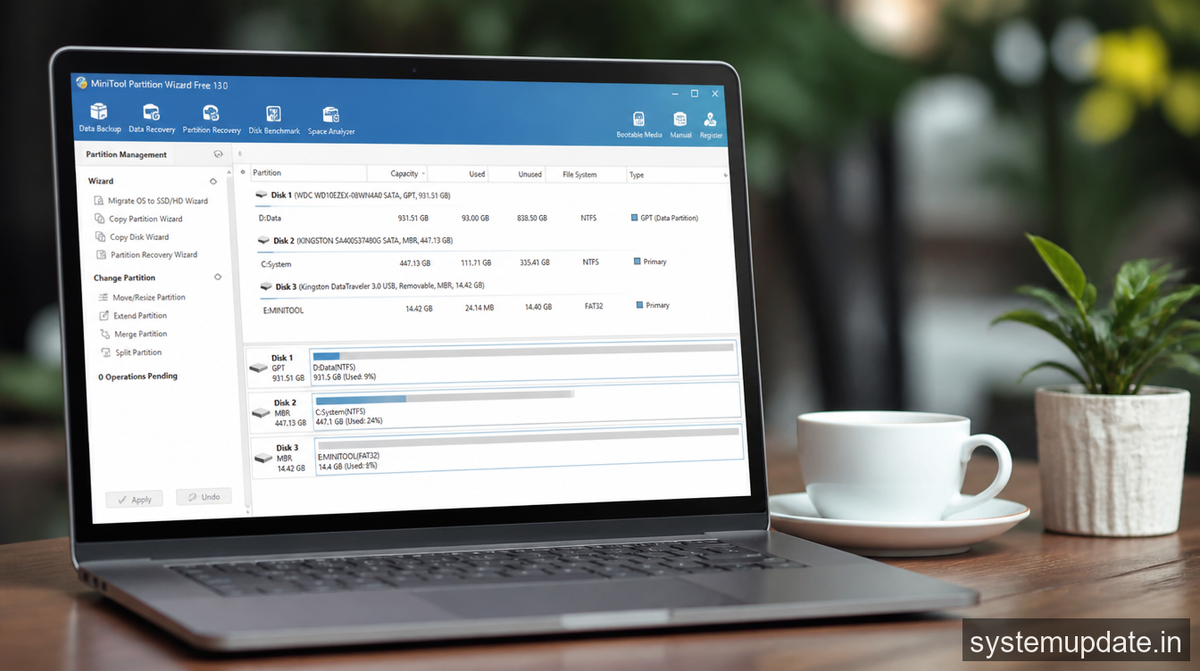
One specific improvement: the software correctly handles the Windows Recovery Environment partitions that come default on new Windows 11 installations. I’ve seen other tools accidentally break these partitions during resize operations. MiniTool’s 13.0 version recognizes them automatically and marks them as protected.
Who Should Upgrade
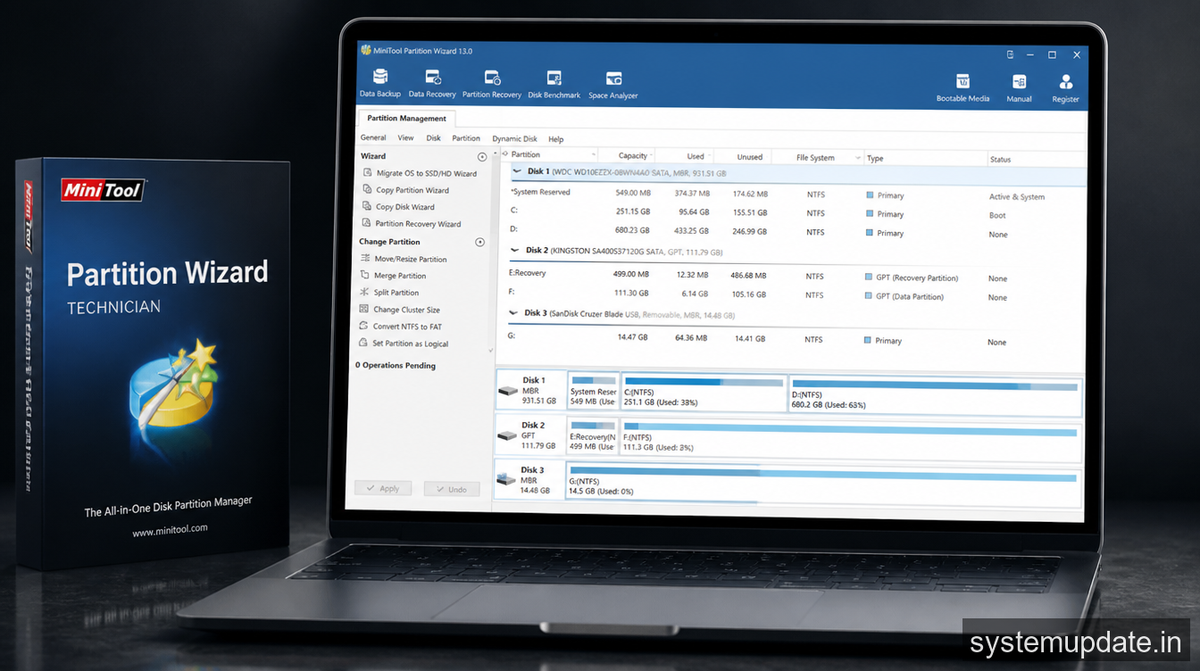
If you’re currently on version 12.x, the jump to 13.0 is worthwhile but not dramatic. The corrupted image repair alone might justify it if you work with disk images frequently. System administrators managing multiple machines will appreciate the faster partitioning operations, as the time savings add up across dozens of disks.
Home users with simple needs might not need to rush. The core partitioning features haven’t changed dramatically. But if you’ve been holding off on upgrading because of Windows 11 compatibility concerns, this release removes those worries.
The new recovery-focused features also make this version more appealing for technicians who handle system recovery tasks. The ability to repair corrupted images without downloading entire files again saves significant bandwidth and time, particularly in environments with slower internet connections.
Performance and Stability Notes
I tested Partition Wizard 13.0 across three different machines, varying from a clean Windows 11 install to a heavily modified dual-boot setup. The software ran without crashes on all three. The interface feels snappier, particularly when switching between large disk lists.
One thing worth mentioning: the bootable media builder now supports creating USB recovery drives that work with both BIOS and UEFI systems. This wasn’t working correctly in some 12.x versions, and it’s nice to see it fixed.
Memory usage is down compared to the previous version, which helps when you’re working with very large disks containing millions of files. The difference isn’t dramatic on modern machines, but if you’re running this on older hardware, you’ll notice the responsiveness improvement.
The Bottom Line
Partition Wizard 13.0 is a solid incremental update that addresses several real pain points. The corrupted image repair fills a gap that users have been requesting for years, and the Windows 11 improvements ensure the tool stays relevant as Microsoft continues evolving its OS.
If you’re already on a recent version and your workflow is working, there’s no urgent need to switch. But if you deal with disk images regularly, manage Windows 11 machines, or have been experiencing issues with large disk operations, this update solves problems you probably have.
The software is available as a free edition with core features and a paid Professional version that adds advanced capabilities like virtual disk conversion and RAID support.
Frequently Asked Questions
Does MiniTool Partition Wizard 13.0 work on Windows 10?
Yes, it supports Windows 10 versions 1903 and later. The Windows 11 improvements don’t prevent it from working on Windows 10, so you can upgrade regardless of which OS you’re running.
Is the corrupted image repair feature free?
The basic repair functionality is available in the free edition. Advanced recovery options require the Professional version. For most common ISO corruption issues, the free tool should handle it.
Can I upgrade from an older version directly to 13.0?
Yes, the installer handles upgrades from versions 10 through 12 seamlessly. Your settings and preferences are preserved during the upgrade process.
Does Partition Wizard 13.0 support MBR to GPT conversion without data loss?
The software supports both MBR to GPT and GPT to MBR conversions without deleting partitions. However, you should always back up your data before performing any partition table changes, as complications can occur.
Is the bootable media feature compatible with ARM-based Windows PCs?
The current version creates x64 bootable media only. ARM-based Windows on ARM devices require different tools for bootable recovery drives.
Final Thoughts
MiniTool listened to user feedback and delivered a version that tackles real workflow challenges. The corrupted image repair alone makes this worth the update if you work with disk images regularly. Grab the latest version from their official site and test it on a non-critical drive first to see how the new features fit your specific needs.
